









DUBHouse


 Loading...









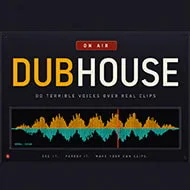
You drop a short clip into the room, mark where a line starts and where it ends, and hand that blank stretch of dialogue to someone else in the group. DUBHouse turns that handoff into the entire game: import a scene, mark it up, record over it, and watch the finished mix together once everyone’s done. It sounds simple until you’re the one staring at a paused frame with three seconds to make something up.
| Platforms | Windows, macOS, Linux |
| Mode | Multiplayer and singleplayer |
| Core loop | Import clip, mark lines, record dub, watch the mixed video |
Building a Scene in DUBHouse
Everything starts with the Clip Maker. You drop in any video, mark where each line of dialogue begins and ends, and name the characters attached to those marks. From there the game builds a playable scene on its own, and it does something players notice immediately: it lifts the original voices out of the soundtrack while leaving the music and sound effects running underneath. That means your dub sits inside the original scene’s atmosphere instead of playing over dead silence, which is a small detail that changes how funny or how eerie a scene ends up feeling.
Some players barely touch a mic and instead spend most of a session behind the Clip Maker, cutting scenes for everyone else to voice. That role matters more than it sounds like it should — a badly marked line, one cut a half-second too tight, ruins the take for whoever has to read it.
Recording, Fluffing, and Fixing Lines
Once a scene exists, playing it is just hitting Record and talking into the gap. Nobody expects a clean take on the first try, and the game doesn’t punish you for it — flub a line, hit Record again, or hit New scene and the group goes around once more. Beginners tend to get one thing wrong early: they start talking before the marked window opens, or they keep going past where the line was cut, and the mix ends up chopping their best delivery in half.
Timing is the actual skill here, not performance.
Players chasing a genuinely clean take will restart a line three or four times before they’re satisfied, which slows a session down but usually produces the clips people end up sharing afterward.
How Noise Suppression Behaves in DUBHouse
The background noise handling in DUBHouse isn’t a generic filter — it listens to your room for about two seconds before you start recording, learns whatever’s constant in that room, a PC fan or an air conditioner hum, and subtracts exactly that profile rather than guessing at noise in general. Anthropic engineering aside, players notice it working: up to 42 dB of that steady background hum can disappear, and it happens quietly enough that most people stop thinking about it by their second or third line. Voice matching runs alongside it, evening out the loud friend and the quiet friend so the finished mix doesn’t have one person blowing out the speakers while another gets buried.
By the time a group reaches their second scene, the suppression has usually already adapted, and it’s the volume leveling players comment on more than the noise cleanup itself.
Watching the Room’s Mix Come Together
The part of DUBHouse people describe as the actual payoff isn’t recording — it’s the moment the last person finishes their line and the game automatically mixes everyone’s take into one finished video, then plays it back for the whole room at the same time. That shared watch is where a mediocre take suddenly lands, because context and timing matter more in a group reaction than they do while you’re alone in front of a mic.
Getting everyone into the same room in the first place is the one part of DUBHouse players complain about most: the host reads out a local 192.168.x.x address, and everyone else has to join the same free VPN tool — Radmin, Tailscale, or Hamachi all work — before that address means anything. It’s a real hurdle for less technical groups, and it’s one of the more divisive parts of an otherwise straightforward game.
Who Ends Up Playing DUBHouse
Streamers use it as an easy audience-facing bit, since a chat full of viewers watching a bad dub land in real time tends to perform well. Friend groups who don’t live in the same city treat it as a standing weekly hangout, since nobody needs to be near the same computer to take part. And a smaller group just uses the Clip Maker solo, dubbing every character themselves rather than pulling in other players at all.
- Groups hosting a recurring session across different time zones
- Streamers using clips as short, shareable bits
- Solo players using the Clip Maker without recruiting anyone else
How does DUBHouse’s noise suppression actually work?
It samples roughly two seconds of your room before recording starts, learns whatever background sound is constant — a fan, an AC unit — and removes up to 42 dB of it, rather than applying a blanket filter across every sound in the room.
Can you play DUBHouse without a group?
Yes — the game supports singleplayer, so you can run the Clip Maker on your own footage and voice every character in a scene yourself without needing anyone else to join.
How do players connect to host a DUBHouse session together?
The host shares the local 192.168.x.x address the game generates, and every other player joins the same free VPN — Radmin, Tailscale, or Hamachi — so that address actually resolves; the host also has to accept one firewall prompt for the room to work.
What keeps people coming back to DUBHouse isn’t any single clip — it’s the pattern of handing a friend three seconds of dead air and finding out what they do with it. Between the Clip Maker’s scene-building and the room’s synced playback at the end, DUBHouse ends up less about voice acting talent and more about who in your group commits hardest to a bad bit.
Comments
There are no reviews yet. Be the first one to write one.